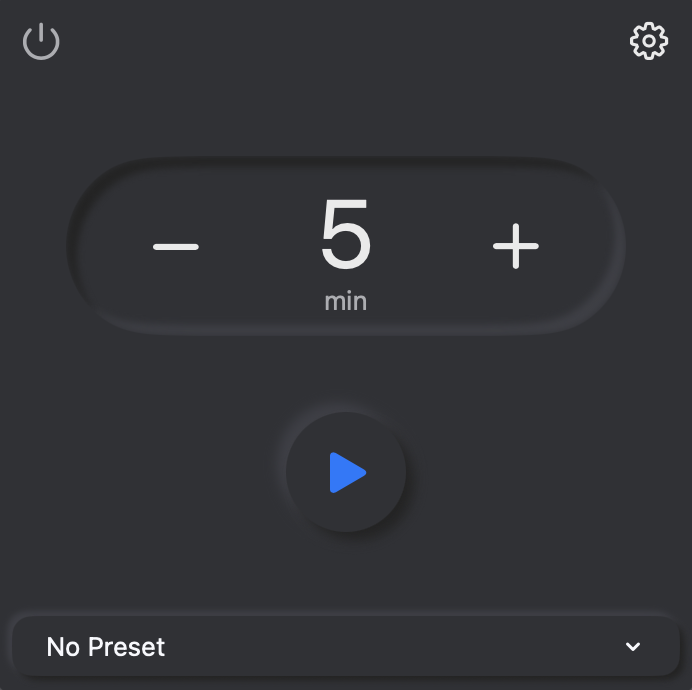
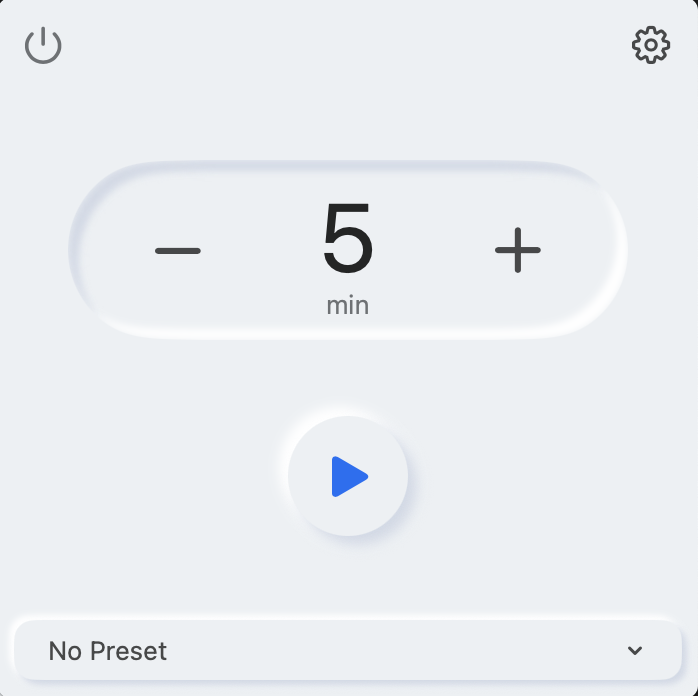
Native macOS Menu Bar App
The only Mac timer that stops when you do.
Most timer measure time. Focumation measures focus.
Choose how long you want to focus. 10 minutes, 100 minutes - your call
Focumation only counts minutes you're actually active. Step away and it pauses automatically.
Your Apple Shortcuts run on Start, Pause, Resume, and End - without you lifting a finger
Focumation adapts to your Mac's native appearance - light or dark mode, and your exact system accent color. It doesn't impose a look. It just fits right in.
Switch your Mac to dark mode and Focumation switches too. No setting to toggle inside the app.
Buttons, highlights, and active states all use the accent color from System Settings - so it feels like a first-party app.
Most timers measure wall-clock time. Focumation measures focus time. Only the seconds you were actually at your keyboard, reading, writing, thinking count. The rest doesn't.
Assign any Apple Shortcut to any session event. Focumation runs them automatically - no manual steps, no interruptions.
Runs the moment you start the timer. Set the scene for deep focus.
Runs when Focumation detects you've stepped away.
Fires when activity is detected after a pause.
Fires when your goal time is reached. Celebrate, enjoy, wind down.
Three sensitivity modes - Strict, Balanced, and Lenient. So it works for coding, watching tutorials, and everything in between.
Save up to 5 named presets - each with its own shortcuts and idle sensitivity. Switch between Work mode and Study mode in one click.
Every completed session shows focused time, break time, total time, and an efficiency score.
Lives in your menu bar, out of your way. The remaining time is always visible at a glance.
Optional launch at login so Focumation is always ready the moment you open your Mac.
Test any shortcut right from Settings before saving it to a preset. No surprises mid-session.
Most menu bar apps quietly drain your battery and slow your Mac. Focumation was built to have essentially zero performance footprint.
Sitting in your menu bar, doing nothing, costs nothing.
Running the timer, tracking activity, firing shortcuts - still just 1%.
A browser tab uses more memory than Focumation does at full operation.
Registers as near-zero in Activity Monitor. Your battery won't know it's there.
Focumation contains no analytics SDK, no telemetry, and no third-party services of any kind.
All settings and session data are stored locally on your Mac. Nothing leaves your machine.
Focumation is free. It exists to be useful. No ads, no freemium upsell, no data business.
Yes. Focumation is a universal binary - it runs natively on both Apple Silicon (M1, M2, M3, M4) and Intel Macs. Minimum requirement is macOS 14.6 Sonoma.
Idle means no keyboard or mouse activity for a set period of time. You can choose between three sensitivity modes - Strict, Balanced, and Lenient - so it works whether you're coding, reading, or watching a tutorial.
To detect idle time, Focumation requires Accessibility access - macOS uses this to monitor input activity. To run Apple Shortcuts, it needs Automation permission. Both are requested on first launch with a clear explanation of why they're needed.
When your Mac sleeps, Focumation treats it as idle and pauses the timer automatically. When you wake your Mac and start working again, it resumes - and fires your On Resume shortcut if you have one set.
Focumation is currently distributed as a direct download. An App Store release is planned - stay tuned.
Yes - free, forever. No account required, no trial period, no premium tier. Focumation exists to be useful, not to monetise your attention.